

Topic Overview
THE 2ND POST IN THIS THREAD HAS ADDITIONAL HGSS INFORMATION
THE 3RD POST IN THIS THREAD HAS INFORMATION ON INSTALLING RNG REPORTER ON INTEL MACS
Encounter Slots Here
The 4th Generation RNG, or Random Number Generator, is not quite as broken as Emerald's, but can be exploited by patient people. This thread will document what we do know and act as a clearinghouse for people interested in the research.
Rules:
If you are asking for help, these are questions you need to be answering in your post.
What are you trying to capture\hatch? Please specify whether you are attempting to breed a shiny Pokémon, breed IVs onto a Pokémon, or capture a Pokémon.
What is your target seed and frame? What is the delay of that seed?
How did you verify your seed? If using Elm's responses or coin flips to verify, tell us what YOU got. Not what RNG Reporter says.
If you tried and failed, what results did you get? You NEED to know this so you can figure out what went wrong. Results are either the IV\nature of the Pokemon you caught, or an ID\SID if you are attempting ID\SID abuse.
Posts asking for help without following these rules will be ignored.
Please do not ask for AR codes. Please do not give them to people to ask for them. They are all out there on the internet and can be googled.
Please do not make "Help me find my SID" requests in this thread! For that you may use the Simple Questions sticky in this forum. If you have a naturally caught (non-chained, non-bred) shiny you can get your SID from RNG Reporter. If you have between 4 and 7 chained shinies you can get your SID from RNG Reporter.
The Guides
Please refer to these guides for instructions on how to RNG Abuse Pokemon. The reset of the information in this post is technical and should probably be skipped.
The DPP / HGSS RNG Abuse Guide A comprehensive guide to RNG abuse in DPP and HGSS, thanks to Everstone.
HGSS Information
This is going to be a list of some of the differences, coming very soon.
Technical Information (Hidden)
Tool Links
Please post your tool with a description and I will update this area.
RNGReporter by mingot (updated by AdmiralFish)
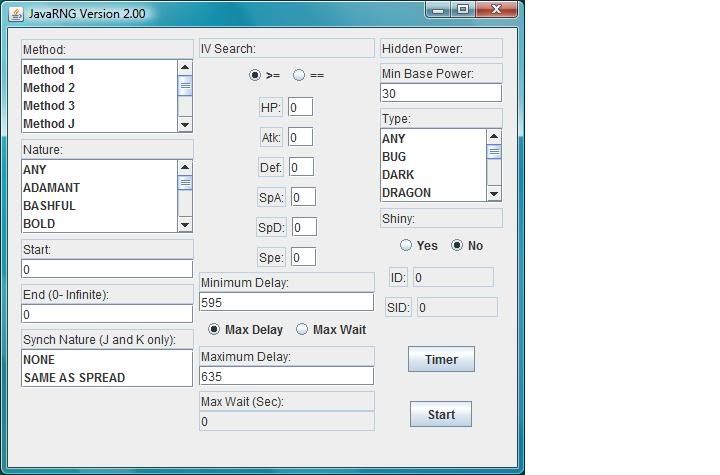
General spread finder, but has some 4th Generation specific features related to finding an initial seed from either all time/delay information or by catching a wild Pokémon and entering a subset of time information to find probable starting seeds.
Wichu's RNG Tools by Wichu
A set of tools for RNG abuse in 4th gen games, for both Windows and Mac OS X. It consists of PokéRNG (a powerful and very fast spread finder), Wonder Card Helper (a seed finder for use in Wonder Card abuse), and Coin Flip Checker (a small tool for quickly and accurately checking your seed in D/P/Pt).
PokéRNG can find any method 1/J/K spread in around a minute; a popular use is to find all your shiny spreads, but its customisable search makes it useful for much more. It's also capable of finding every single possible encounter slot for a spread; much faster than checking each method J/K frame individually!
Wonder Card Helper accepts a target seed and a set of stats from a Wonder Card Pokémon, and lets you know what spread you actually hit. If you're RNGing Wonder Cards, it's invaluable.
Coin Flip Checker is a simple tool which uses D/P/Pt's Coin Flip Pokétch app to narrow down possible seeds on the fly; it can work with any number of coin flip results and find your seed immediately.
ShinyFinder by MinusOne
Very handy program which acts as an egg PID timefinder. If you understand general RNG abuse and have no problem resetting on a particular time and delay this is a must have program. If you don't, learn, and then use this.
ID Finder by Wild Eep (no longer distributed as a separate program as it is integrated into RNG Reporter)
This program is designed to find seeds to manipulate your trainer ID when starting a new game. Understanding how to reach very high delays (5000+) is crucial. (Detailed instructions for manipulating ID and SID are available here.)
Radio Seed by MinusOne
RadioSeed lets you use the Variety Channel for verification/tracking as well as frame advancement. The advantage of this is that the radio works in the champion's room, whereas the phone inexplicably doesn't, so anyone trying to RNG Raikou/Entei/Latias/Latios has to use the roamer method to verify (which can't tell you if you hit the right second) and count one-by-one frame advancements on the radio, which is tedious (and frustrating if you miscount) if you are going for a frame in the thousands. Another advantage is that locating your seed/frame is faster since the radio outputs are chosen from a much larger pool than the Elm responses (a unique sequence from a pool of 22 can be much shorter than a unique sequence from a pool of 3).
Thanks and Credits
These are folks that have helped with testing, ideas, encouragement. And some who had published papers that got my up to speed with things. This is truely a huge project and I could have spent a lifetime and never gotten half as far without all of the information, ideas, testing, and just general help of a lot of people.
bearsfan092, DarkProphet, Davy, Expert Evan, = Jonny =, LightningFusion, Lorak, Misdreavous, oddsock, OmegaDonut, Pink, Red Phoenix, Romsstar, Sabresite, SCV, Syberia, thetorsoboy, Wichu, Wild Eep, X-Act, Xenavire.
pidcalc author.
seed author.
emloop author.
Contributed something to help out and think you should be here? Say so.
The following three posts may have something interesting from some other researchers:
Instructions for installing and running RNG Reporter on Intel Macs
1) Download and install Mono for Mac OSX (note: you will need administrative privileges to install Mono).
2) Download RNG Reporter. Unpack the contents of the RNG Reporter .zip file onto your Desktop.
4) Download the RNG Reporter Mac supplement .zip file, attached to this post. Unpack the contents onto your Desktop
DOUBLE-CHECK: The files RNGReporter.exe, RNGReporter.exe.config MUST be directly on your Desktop, not contained within a folder on the Desktop. The RNG Reporter Mac supplement can actually be run from any location, but the Desktop is preferred.
5) Double-click the RNG Reporter icon. (Not the icon with the .exe extension.)
THE 2ND POST IN THIS THREAD HAS ADDITIONAL HGSS INFORMATION
THE 3RD POST IN THIS THREAD HAS INFORMATION ON INSTALLING RNG REPORTER ON INTEL MACS
Encounter Slots Here
The 4th Generation RNG, or Random Number Generator, is not quite as broken as Emerald's, but can be exploited by patient people. This thread will document what we do know and act as a clearinghouse for people interested in the research.
Rules:
If you are asking for help, these are questions you need to be answering in your post.
What are you trying to capture\hatch? Please specify whether you are attempting to breed a shiny Pokémon, breed IVs onto a Pokémon, or capture a Pokémon.
What is your target seed and frame? What is the delay of that seed?
How did you verify your seed? If using Elm's responses or coin flips to verify, tell us what YOU got. Not what RNG Reporter says.
If you tried and failed, what results did you get? You NEED to know this so you can figure out what went wrong. Results are either the IV\nature of the Pokemon you caught, or an ID\SID if you are attempting ID\SID abuse.
Posts asking for help without following these rules will be ignored.
Please do not ask for AR codes. Please do not give them to people to ask for them. They are all out there on the internet and can be googled.
Please do not make "Help me find my SID" requests in this thread! For that you may use the Simple Questions sticky in this forum. If you have a naturally caught (non-chained, non-bred) shiny you can get your SID from RNG Reporter. If you have between 4 and 7 chained shinies you can get your SID from RNG Reporter.
The Guides
Please refer to these guides for instructions on how to RNG Abuse Pokemon. The reset of the information in this post is technical and should probably be skipped.
The DPP / HGSS RNG Abuse Guide A comprehensive guide to RNG abuse in DPP and HGSS, thanks to Everstone.
- Introduction
- Part 1: Common Information for Breeding, Capturing, and Receiving Perfect Pokemon
- Part 2: How to Capture / Receive Perfect Pokemon
- Part 3: How to Hatch Perfect Pokemon
- Part 4: How to Abuse for your Desired TID/SID
- Part 5: Cute Charm TID/SID and Poke Radar Abuse
- Introduction and General Preparations
- RNG Manipulation of Bred Pokémon
- RNG Manipulation of Method 1 Pokémon
- RNG Manipulation of Wild Pokémon
HGSS Information
This is going to be a list of some of the differences, coming very soon.
Technical Information (Hidden)
All 3rd Generation and 4th Generation games share a random number generator. It is a Linear Congruent Generator and very simple. Please refer to Section 1.4 of X-Act's PID and IV creation article article for a general overview of the Pokémon RNG and implementation details.
The RNG outputs a series of numbers between 0-4294967296. Not sequentially, but in a known pattern, with no numbers repeated. In Emerald each time the game is reset/restarted the numbers being generated begin at a known point, called a "seed", and progress at a farily steady rate of 60 per second. This lets us know, at a certain time after a reset, what number the RNG is going to produce. If you've seen the frame spreadsheets or the output of emloop this should make sense.
To clarify, think of exploiting the RNG in Emerald in the terms of taking a trip.
With a fixed starting point (seed), route (frame listing), and speed (60 frames per second) it is easy to tell where you are going to be after a certain point in time.
Emerald always starts from the same location, and this is the magic behind all of the wonderful things that people are resetting and breeding. The other games all travel the same route, but they mix things up by starting you at a different location on the route each time the game is reset. Since your location at start is not known it is not possible to know where you are after any given time. Additionally 4th Generation games do not advance the RNG at a consistent 60 frames per second, but uses in game actions.
This thread documents how get our starting location (seed) and how to determine what actions we need to take to know what and it will output.
4th Generation Specific Information for RNG Seeding
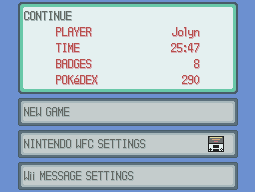
The RNG is seeded when "Continue" is selected. The seed of the RNG is not fixed, but is determined by your current date, current time, and the amount of time it took from reset until continuing.
The seed formula:
Given a date/time set the current variables:
Year (4 Digits, 2000-2099)
Month (1-12)
Day (1-31)
Hour (0-23)
Minute (0-59)
Seconds (0-59)
Delay = Seconds between game start and hitting A on the continue screen * 60
* = Multiply
% = Mod (divide and take remainder of)
0x = Numbers prefixed with this are Hexadecimal
(((Month * Day + Minute + Second) % 0x100) * 0x1000000) + (Hour * 0x10000) + (Year-2000 + Delay)
RNG Vs RNG
But wait, there's more. In addition to the RNG described above there is another, which uses a different algorithm, coded into the 4th Generation games. This other RNG (called the IRNG for the duration of this article) is used solely for the generation of egg PIDs.
The IRNG is seeded with the same initial value as the normal RNG, so the information about seeding in the previous section is applicable here as well.
The IRNG is an implementation of the Mersenne twister. It is a somewhat complex algorithm, but is well-known and well-documented. Those interested in further research on this algorithm can find a wealth of information by searching for "Mersenne twister".
PID Generation For Eggs using the IRNG
Each call to the IRNG returns a single 32-bit value, which is used in its entirety to create the PID of the egg. The IRNG is called when an egg is produced, and the Day-Care Man begins holding an egg.
When breeding with two parents from games with different languages (Japanese and US Platinum are examples of different regions) there is a slight modification to the algorithm. When an initial PID is generated by the IRNG the game checks to see if it generates a shiny, and if not the following formula is applied:
PID = PID * 0x6c078965 (Hexadecimal) + 1
Only the first 32 bits of this new PID are kept, so if you are calculating this yourself simply discard any digits higher than the 8th position (in Hexadecimal).
This is repeated a maximum of three times. Each time the multiplication is applied to the PID a check is made to see if it will generate a shiny egg. If so, no further multiplications and are performed and the egg is assigned this PID. This gives us four tries for a shiny Pokémon, increasing our overall odds from 1:8196 to 1:2048.
IRNG Advancement
There are very few in game actions that advance the IRNG and they are listed below.
- Double clicking the Pokétch Happiness Checker Application will advance the Incubator RNG by the number of Pokémon in your party multiplied by two.
- Switching to the Pokétch Happiness Checker Application will advance the Incubator RNG by the number of Pokémon in your party multiplied by two.
- Using the coin flip application will advance the Incubator RNG by one. The in game results of the coin flip are determined by odd or even numbers being returned by the Incubator RNG. Even numbers produce tails (PokeBall) and odd numbers produce heads (Magikarp).
- Having an egg generated will advance the Incubator RNG by one.
- Going into a Wi-Fi trade will reseed the Incubator RNG to an unknown value.
- Going into a union room trade will reseed the Incubator RNG to an unknown value.
IV Generation For Eggs
For a general guide to breeding, it is suggested that you read X-Act and Peterko's Guide on the subject. For those interested in the nitty-gritty details of how RNG results determine the IVs of bred Pokémon, read on.
The IVs of an egg are determined the instant you speak to the Daycare Man and are created by eight calls to the RNG.
The first two calls are used to generate a baseline set of IVs. This mechanic is covered extremely well in X-Act's PID and IV creation article, but is quickly summarized here for completeness' sake.
Call 1 is used to generate the Defense, Attack, and Hit Points. These are stored internally as a single 16-bit value and the mask below can be used to extract the individual IVs. The high bit is unused and may be disregarded.
X|XXXXX|XXXXX|XXXXX
X|DEFXX|ATKXX.|HPXXX
Call 2 is used to generate the Special Defense, Special Attack, and Speed. These are stored internally as a single 16-bit value and the mask below can be used to extract the individual IVs. The high bit is unused and may be disregarded.
X|XXXXX|XXXXX|XXXXX
X|SPDXX|SPA..X|SPEXXX
The next three calls determine which IVs are inherited. These inherited IVs overwrite up to three of the baseline IVs that were created above.
Call 3 (or s[3] in the formula below) is used to determine the first IV to be inherited.
s[3] is divided by 6 and the remainder taken (Inh1 = s[3] % 6). This result is used with the table below to determine which IV is overwritten.
If Inh1 = 0, then HP is inherited
If Inh1 = 1, then Attack is inherited
If Inh1 = 2, then Defense is inherited
If Inh1 = 3, then Speed is inherited
If Inh1 = 4, then Special Attack is inherited
If Inh1 = 5, then Special Defense is inherited
Call 4 (or s[4] in the formula below) is used to determine the second IV to be inherited.
s[4] is divided by 5 and the remainder taken (Inh2 = s[4] % 5). This result is used with the table below to determine which IV is overwritten.
If Inh2 = 0, then Attack is inherited
If Inh2 = 1, then Defense is inherited
If Inh2 = 2, then Speed is iInherited
If Inh2 = 3, then Special Attack is inherited
If Inh2 = 4, then Special Defense is Inherited
Call 5 (or s[5] in the formula below) is used to determine the third IV to be inherited.
s[5] is divided by 4 and the remainder taken (Inh3 = s[5] % 4). This result is used with the table below to determine which IV is overwritten.
If Inh3 = 0, then Attack is Inherited
If Inh3 = 1, then Speed is Inherited
If Inh3 = 2, then Special Attack is Inherited
If Inh3 = 3, then Special Defense is Inherited
The final three calls determine which parent IVs are inherited from.
Call 6 (or s[6] in the formula below) is used to determine which parent will contribute the IV that was determined by call 3.
s[6] is divided by 2 and the remainder taken (Parent1 = s[6] % 2).
If Parent1 = 0, then the IV from the parent in slot 1 is taken.
If Parent1 = 1, then the IV from the parent in slot 2 is taken.
Call 7 (or s[7] in the formula below) is used to determine which parent will contribute the IV that was determined by call 4.
s[7] is divided by 2 and the remainder taken (Parent2 = s[7] % 2).
If Parent2 = 0, then the IV from the parent in slot 1 is taken.
If Parent2 = 1, then the IV from the parent in slot 2 is taken.
Call 8 (or s[8] in the formula below) is used to determine which parent will contribute the IV that was determined by call 5.
s[8] is divided by 2 and the remainder taken (Parent3 = s[8] % 2).
If Parent3 = 0, then the IV from the parent in slot 1 is taken.
If Parent3 = 1, then the IV from the parent in slot 2 is taken.
PID Generation for Wild Pokémon
For the most part, PID generation is handled in the same manner described by X-Act in his article, but the process of getting the initial PID has changed in the 4th generation. In the 3rd generation, without a synchronizer present, the next two or three numbers from the RNG were taken and used directly to form a PID. In the 4th generation games this procedure has changed and there is an initial call to the RNG to get the nature and then the RNG is advanced until an appropriate PID (that is, one that has a matching nature) is found.
Starting from s[n], which can be thought as your current seed, when entering a battle with a Pokémon (wild or Synchronizable legend), the first seed used to generate the Pokémon is s[n+1].
This number is used to determine the nature of the Pokémon as follows:
floor (s[n+1]/0xA3E)
This operation will produce a number between 0 and 24, which is the target nature.
Next is the PID generation.
PID is [s[m]][s[m+1]]
where m starts as m = n+2 and is incremented by 2 until a PID is found with the target nature.
In the end the IVs, as usual, are formed with [s[m+2]][s[m+3]]
<insert complete example with pid generation>
Effect of Synchronize:
The high bit of s[n+1] acts as a trigger.
If it's 1, Synchronize has failed. In this case the method above is used, but s[n+1] is NOT recycled to determine nature. Instead another call is made to the RNG and that number is considered to be s[n+1].
If it's 0, the the target nature will be that of the first Pokémon in your party.
Next step is the PID generation.
PID is [s[m]][s[m+1]]
where m starts as m = n+2 and is incremented by 2 until a PID is found with the target nature.
In the end the IVs, as usual, are formed with [s[m+2]][s[m+3]]
<insert complete example with pid generation>
RNG Advancement For Wild Pokémon
The RNG used for wild Pokémon, legends, and nearly everything else ingame uses the same algorithm to generate its number. Known as a linear congruent random number generator, they are easy to understand and implement. One other thing is the ease in knowing the next number by performing some simple math on the previous number that was returned. In the earlier games the RNG ran constantly at a fixed frequency. In the 4th generation it appears that the RNG is only called when it is needed. Here is a list of items we know advance (or affect) the RNG.
Currently the information below is untested, so at some point we will need to verify each one of these.
GRASS / WATER / CAVES (Where there are wild Pokémon)
- Straight walking advances the RNG by 1 seed per step. The RNG is advanced even if there is a repel in use.
- Each time you turn around (reverse direction) the RNG is advanced by 1 seed. The RNG is advanced even if there is a repel in use.
- Turning and walking (1 step) at the same time advances the RNG by 2 seeds. The RNG is advanced even if there is a repel in use.
- Sweet Scenting in the grass / caves advance the RNG by 1 seed. This does not include the calls to generate the monster or the effects of battle.
- Sweet Scenting in the water advance the RNG by 2 seeds. This does not include the calls to generate the monster or the effects of battle.
- Random encounters advance the RNG by 1 seed, but a number of calls are made to create the Pokémon you will battle afterwards. The exact numbers for this and the following need further research.
- Battles makes a large number of RNG calls, but appear to unwind these calls after the battle to either seven or eight calls after the PID/IV generation of the Pokémon you battled.
EVERYWHERE
- 128 steps advance the RNG by a number of seeds equal to the number of Pokémon in your party. The step counter is stored when you save your game.
- Wandering NPCs (Non-Player Characters) advance the RNG by 1 seed each time they move or turn. NPCs that move in a fixed pattern do not advance the RNG. All NPCs in a zone advance the RNG, even if they are not visible on the screen
- Opening the Journal, or having it automatically open, when there is a caught or defeated Pokémon on the first page advances the RNG by 2 seeds. There are a number of formats for the caught Pokémon text. Those listed below have been verified to advance the RNG.
'Caught a female BIDOOF.'
'Caught AZELF (LATE NIGHT).'
'UXIE was caught (DAY).'
'Defeated a male BIDOOF.'
- Flipping to a page in the journal where a caught or defeated Pokémon is listed advances the RNG by 2 seeds. The same message formats listed above will advance the RNG.
- Attempting to fish and getting the message 'Not even a nibble...' advances the RNG by 1 seed.
- Attempting to fish and getting the message 'The Pokémon got away...' advances the RNG as if a Pokémon had been encountered.
OTHER FACTORS
- For each wandering Pokémon that is currently roaming the RNG will advanced by one upon game start. Wandering Pokémon are Mespirit, Cresselia, Moltres, Zapdos and Articuno.
Research Needed
Does going in an out of a building with the friendship checker application running trigger IRNG advancement. Method to check: Find initial seed, get egg. Open friendship checker. Go in and out of a door 20 times, close friendship checker get egg. After this check the PIDs of both monsters and see what the gap is on the PID listing.
Does "weather" advance the IRNG? People have reporter issues with coin flips not matching in weather zones, so verify how/if the IRNG is advanced. Same issue has been reported in the sandstorm.
DS Date Rollover was reporter to advance the RNG by 7. Verify under debugger and check to make sure that it is not dependent upon the number of Pokemon in party.
Seed some monsters back to back in a quiet (like the water on the lakes) area and determine if the number of RNG calls between battles is a consistant 8. IE. Scent 10 Pokémon back to back. Note the method J frames of each one and report. Using a syncher here is probably not a good idea.
Do eggs in party count as party members for happiness taps
FAQ
1. What does MOD mean?
MOD is an operator like +,-, etc.
It is the remainder.
Answers below are bolded:
10 mod 3 = 1 (10/3 = 3 remainder 1)
21 mod 7 = 0 (21/7 = 3 remainder 0)
5 mod 3 = 2 (5/3 = 1 remainder 2)
The RNG outputs a series of numbers between 0-4294967296. Not sequentially, but in a known pattern, with no numbers repeated. In Emerald each time the game is reset/restarted the numbers being generated begin at a known point, called a "seed", and progress at a farily steady rate of 60 per second. This lets us know, at a certain time after a reset, what number the RNG is going to produce. If you've seen the frame spreadsheets or the output of emloop this should make sense.
To clarify, think of exploiting the RNG in Emerald in the terms of taking a trip.
With a fixed starting point (seed), route (frame listing), and speed (60 frames per second) it is easy to tell where you are going to be after a certain point in time.
Emerald always starts from the same location, and this is the magic behind all of the wonderful things that people are resetting and breeding. The other games all travel the same route, but they mix things up by starting you at a different location on the route each time the game is reset. Since your location at start is not known it is not possible to know where you are after any given time. Additionally 4th Generation games do not advance the RNG at a consistent 60 frames per second, but uses in game actions.
This thread documents how get our starting location (seed) and how to determine what actions we need to take to know what and it will output.
4th Generation Specific Information for RNG Seeding
The RNG is seeded when "Continue" is selected. The seed of the RNG is not fixed, but is determined by your current date, current time, and the amount of time it took from reset until continuing.
The seed formula:
Given a date/time set the current variables:
Year (4 Digits, 2000-2099)
Month (1-12)
Day (1-31)
Hour (0-23)
Minute (0-59)
Seconds (0-59)
Delay = Seconds between game start and hitting A on the continue screen * 60
* = Multiply
% = Mod (divide and take remainder of)
0x = Numbers prefixed with this are Hexadecimal
(((Month * Day + Minute + Second) % 0x100) * 0x1000000) + (Hour * 0x10000) + (Year-2000 + Delay)
RNG Vs RNG
But wait, there's more. In addition to the RNG described above there is another, which uses a different algorithm, coded into the 4th Generation games. This other RNG (called the IRNG for the duration of this article) is used solely for the generation of egg PIDs.
The IRNG is seeded with the same initial value as the normal RNG, so the information about seeding in the previous section is applicable here as well.
The IRNG is an implementation of the Mersenne twister. It is a somewhat complex algorithm, but is well-known and well-documented. Those interested in further research on this algorithm can find a wealth of information by searching for "Mersenne twister".
PID Generation For Eggs using the IRNG
Each call to the IRNG returns a single 32-bit value, which is used in its entirety to create the PID of the egg. The IRNG is called when an egg is produced, and the Day-Care Man begins holding an egg.
When breeding with two parents from games with different languages (Japanese and US Platinum are examples of different regions) there is a slight modification to the algorithm. When an initial PID is generated by the IRNG the game checks to see if it generates a shiny, and if not the following formula is applied:
PID = PID * 0x6c078965 (Hexadecimal) + 1
Only the first 32 bits of this new PID are kept, so if you are calculating this yourself simply discard any digits higher than the 8th position (in Hexadecimal).
This is repeated a maximum of three times. Each time the multiplication is applied to the PID a check is made to see if it will generate a shiny egg. If so, no further multiplications and are performed and the egg is assigned this PID. This gives us four tries for a shiny Pokémon, increasing our overall odds from 1:8196 to 1:2048.
IRNG Advancement
There are very few in game actions that advance the IRNG and they are listed below.
- Double clicking the Pokétch Happiness Checker Application will advance the Incubator RNG by the number of Pokémon in your party multiplied by two.
- Switching to the Pokétch Happiness Checker Application will advance the Incubator RNG by the number of Pokémon in your party multiplied by two.
- Using the coin flip application will advance the Incubator RNG by one. The in game results of the coin flip are determined by odd or even numbers being returned by the Incubator RNG. Even numbers produce tails (PokeBall) and odd numbers produce heads (Magikarp).
- Having an egg generated will advance the Incubator RNG by one.
- Going into a Wi-Fi trade will reseed the Incubator RNG to an unknown value.
- Going into a union room trade will reseed the Incubator RNG to an unknown value.
IV Generation For Eggs
For a general guide to breeding, it is suggested that you read X-Act and Peterko's Guide on the subject. For those interested in the nitty-gritty details of how RNG results determine the IVs of bred Pokémon, read on.
The IVs of an egg are determined the instant you speak to the Daycare Man and are created by eight calls to the RNG.
The first two calls are used to generate a baseline set of IVs. This mechanic is covered extremely well in X-Act's PID and IV creation article, but is quickly summarized here for completeness' sake.
Call 1 is used to generate the Defense, Attack, and Hit Points. These are stored internally as a single 16-bit value and the mask below can be used to extract the individual IVs. The high bit is unused and may be disregarded.
X|XXXXX|XXXXX|XXXXX
X|DEFXX|ATKXX.|HPXXX
Call 2 is used to generate the Special Defense, Special Attack, and Speed. These are stored internally as a single 16-bit value and the mask below can be used to extract the individual IVs. The high bit is unused and may be disregarded.
X|XXXXX|XXXXX|XXXXX
X|SPDXX|SPA..X|SPEXXX
The next three calls determine which IVs are inherited. These inherited IVs overwrite up to three of the baseline IVs that were created above.
Call 3 (or s[3] in the formula below) is used to determine the first IV to be inherited.
s[3] is divided by 6 and the remainder taken (Inh1 = s[3] % 6). This result is used with the table below to determine which IV is overwritten.
If Inh1 = 0, then HP is inherited
If Inh1 = 1, then Attack is inherited
If Inh1 = 2, then Defense is inherited
If Inh1 = 3, then Speed is inherited
If Inh1 = 4, then Special Attack is inherited
If Inh1 = 5, then Special Defense is inherited
Call 4 (or s[4] in the formula below) is used to determine the second IV to be inherited.
s[4] is divided by 5 and the remainder taken (Inh2 = s[4] % 5). This result is used with the table below to determine which IV is overwritten.
If Inh2 = 0, then Attack is inherited
If Inh2 = 1, then Defense is inherited
If Inh2 = 2, then Speed is iInherited
If Inh2 = 3, then Special Attack is inherited
If Inh2 = 4, then Special Defense is Inherited
Call 5 (or s[5] in the formula below) is used to determine the third IV to be inherited.
s[5] is divided by 4 and the remainder taken (Inh3 = s[5] % 4). This result is used with the table below to determine which IV is overwritten.
If Inh3 = 0, then Attack is Inherited
If Inh3 = 1, then Speed is Inherited
If Inh3 = 2, then Special Attack is Inherited
If Inh3 = 3, then Special Defense is Inherited
The final three calls determine which parent IVs are inherited from.
Call 6 (or s[6] in the formula below) is used to determine which parent will contribute the IV that was determined by call 3.
s[6] is divided by 2 and the remainder taken (Parent1 = s[6] % 2).
If Parent1 = 0, then the IV from the parent in slot 1 is taken.
If Parent1 = 1, then the IV from the parent in slot 2 is taken.
Call 7 (or s[7] in the formula below) is used to determine which parent will contribute the IV that was determined by call 4.
s[7] is divided by 2 and the remainder taken (Parent2 = s[7] % 2).
If Parent2 = 0, then the IV from the parent in slot 1 is taken.
If Parent2 = 1, then the IV from the parent in slot 2 is taken.
Call 8 (or s[8] in the formula below) is used to determine which parent will contribute the IV that was determined by call 5.
s[8] is divided by 2 and the remainder taken (Parent3 = s[8] % 2).
If Parent3 = 0, then the IV from the parent in slot 1 is taken.
If Parent3 = 1, then the IV from the parent in slot 2 is taken.
PID Generation for Wild Pokémon
For the most part, PID generation is handled in the same manner described by X-Act in his article, but the process of getting the initial PID has changed in the 4th generation. In the 3rd generation, without a synchronizer present, the next two or three numbers from the RNG were taken and used directly to form a PID. In the 4th generation games this procedure has changed and there is an initial call to the RNG to get the nature and then the RNG is advanced until an appropriate PID (that is, one that has a matching nature) is found.
Starting from s[n], which can be thought as your current seed, when entering a battle with a Pokémon (wild or Synchronizable legend), the first seed used to generate the Pokémon is s[n+1].
This number is used to determine the nature of the Pokémon as follows:
floor (s[n+1]/0xA3E)
This operation will produce a number between 0 and 24, which is the target nature.
Next is the PID generation.
PID is [s[m]][s[m+1]]
where m starts as m = n+2 and is incremented by 2 until a PID is found with the target nature.
In the end the IVs, as usual, are formed with [s[m+2]][s[m+3]]
<insert complete example with pid generation>
Effect of Synchronize:
The high bit of s[n+1] acts as a trigger.
If it's 1, Synchronize has failed. In this case the method above is used, but s[n+1] is NOT recycled to determine nature. Instead another call is made to the RNG and that number is considered to be s[n+1].
If it's 0, the the target nature will be that of the first Pokémon in your party.
Next step is the PID generation.
PID is [s[m]][s[m+1]]
where m starts as m = n+2 and is incremented by 2 until a PID is found with the target nature.
In the end the IVs, as usual, are formed with [s[m+2]][s[m+3]]
<insert complete example with pid generation>
RNG Advancement For Wild Pokémon
The RNG used for wild Pokémon, legends, and nearly everything else ingame uses the same algorithm to generate its number. Known as a linear congruent random number generator, they are easy to understand and implement. One other thing is the ease in knowing the next number by performing some simple math on the previous number that was returned. In the earlier games the RNG ran constantly at a fixed frequency. In the 4th generation it appears that the RNG is only called when it is needed. Here is a list of items we know advance (or affect) the RNG.
Currently the information below is untested, so at some point we will need to verify each one of these.
GRASS / WATER / CAVES (Where there are wild Pokémon)
- Straight walking advances the RNG by 1 seed per step. The RNG is advanced even if there is a repel in use.
- Each time you turn around (reverse direction) the RNG is advanced by 1 seed. The RNG is advanced even if there is a repel in use.
- Turning and walking (1 step) at the same time advances the RNG by 2 seeds. The RNG is advanced even if there is a repel in use.
- Sweet Scenting in the grass / caves advance the RNG by 1 seed. This does not include the calls to generate the monster or the effects of battle.
- Sweet Scenting in the water advance the RNG by 2 seeds. This does not include the calls to generate the monster or the effects of battle.
- Random encounters advance the RNG by 1 seed, but a number of calls are made to create the Pokémon you will battle afterwards. The exact numbers for this and the following need further research.
- Battles makes a large number of RNG calls, but appear to unwind these calls after the battle to either seven or eight calls after the PID/IV generation of the Pokémon you battled.
EVERYWHERE
- 128 steps advance the RNG by a number of seeds equal to the number of Pokémon in your party. The step counter is stored when you save your game.
- Wandering NPCs (Non-Player Characters) advance the RNG by 1 seed each time they move or turn. NPCs that move in a fixed pattern do not advance the RNG. All NPCs in a zone advance the RNG, even if they are not visible on the screen
- Opening the Journal, or having it automatically open, when there is a caught or defeated Pokémon on the first page advances the RNG by 2 seeds. There are a number of formats for the caught Pokémon text. Those listed below have been verified to advance the RNG.
'Caught a female BIDOOF.'
'Caught AZELF (LATE NIGHT).'
'UXIE was caught (DAY).'
'Defeated a male BIDOOF.'
- Flipping to a page in the journal where a caught or defeated Pokémon is listed advances the RNG by 2 seeds. The same message formats listed above will advance the RNG.
- Attempting to fish and getting the message 'Not even a nibble...' advances the RNG by 1 seed.
- Attempting to fish and getting the message 'The Pokémon got away...' advances the RNG as if a Pokémon had been encountered.
OTHER FACTORS
- For each wandering Pokémon that is currently roaming the RNG will advanced by one upon game start. Wandering Pokémon are Mespirit, Cresselia, Moltres, Zapdos and Articuno.
Research Needed
Does going in an out of a building with the friendship checker application running trigger IRNG advancement. Method to check: Find initial seed, get egg. Open friendship checker. Go in and out of a door 20 times, close friendship checker get egg. After this check the PIDs of both monsters and see what the gap is on the PID listing.
Does "weather" advance the IRNG? People have reporter issues with coin flips not matching in weather zones, so verify how/if the IRNG is advanced. Same issue has been reported in the sandstorm.
DS Date Rollover was reporter to advance the RNG by 7. Verify under debugger and check to make sure that it is not dependent upon the number of Pokemon in party.
Seed some monsters back to back in a quiet (like the water on the lakes) area and determine if the number of RNG calls between battles is a consistant 8. IE. Scent 10 Pokémon back to back. Note the method J frames of each one and report. Using a syncher here is probably not a good idea.
Do eggs in party count as party members for happiness taps
FAQ
1. What does MOD mean?
MOD is an operator like +,-, etc.
It is the remainder.
Answers below are bolded:
10 mod 3 = 1 (10/3 = 3 remainder 1)
21 mod 7 = 0 (21/7 = 3 remainder 0)
5 mod 3 = 2 (5/3 = 1 remainder 2)
Tool Links
Please post your tool with a description and I will update this area.
RNGReporter by mingot (updated by AdmiralFish)
General spread finder, but has some 4th Generation specific features related to finding an initial seed from either all time/delay information or by catching a wild Pokémon and entering a subset of time information to find probable starting seeds.
Wichu's RNG Tools by Wichu
A set of tools for RNG abuse in 4th gen games, for both Windows and Mac OS X. It consists of PokéRNG (a powerful and very fast spread finder), Wonder Card Helper (a seed finder for use in Wonder Card abuse), and Coin Flip Checker (a small tool for quickly and accurately checking your seed in D/P/Pt).
PokéRNG can find any method 1/J/K spread in around a minute; a popular use is to find all your shiny spreads, but its customisable search makes it useful for much more. It's also capable of finding every single possible encounter slot for a spread; much faster than checking each method J/K frame individually!
Wonder Card Helper accepts a target seed and a set of stats from a Wonder Card Pokémon, and lets you know what spread you actually hit. If you're RNGing Wonder Cards, it's invaluable.
Coin Flip Checker is a simple tool which uses D/P/Pt's Coin Flip Pokétch app to narrow down possible seeds on the fly; it can work with any number of coin flip results and find your seed immediately.
ShinyFinder by MinusOne
Very handy program which acts as an egg PID timefinder. If you understand general RNG abuse and have no problem resetting on a particular time and delay this is a must have program. If you don't, learn, and then use this.
This program is designed to find seeds to manipulate your trainer ID when starting a new game. Understanding how to reach very high delays (5000+) is crucial. (Detailed instructions for manipulating ID and SID are available here.)
Radio Seed by MinusOne
RadioSeed lets you use the Variety Channel for verification/tracking as well as frame advancement. The advantage of this is that the radio works in the champion's room, whereas the phone inexplicably doesn't, so anyone trying to RNG Raikou/Entei/Latias/Latios has to use the roamer method to verify (which can't tell you if you hit the right second) and count one-by-one frame advancements on the radio, which is tedious (and frustrating if you miscount) if you are going for a frame in the thousands. Another advantage is that locating your seed/frame is faster since the radio outputs are chosen from a much larger pool than the Elm responses (a unique sequence from a pool of 22 can be much shorter than a unique sequence from a pool of 3).
Thanks and Credits
These are folks that have helped with testing, ideas, encouragement. And some who had published papers that got my up to speed with things. This is truely a huge project and I could have spent a lifetime and never gotten half as far without all of the information, ideas, testing, and just general help of a lot of people.
bearsfan092, DarkProphet, Davy, Expert Evan, = Jonny =, LightningFusion, Lorak, Misdreavous, oddsock, OmegaDonut, Pink, Red Phoenix, Romsstar, Sabresite, SCV, Syberia, thetorsoboy, Wichu, Wild Eep, X-Act, Xenavire.
pidcalc author.
seed author.
emloop author.
Contributed something to help out and think you should be here? Say so.
The following three posts may have something interesting from some other researchers:
Instructions for installing and running RNG Reporter on Intel Macs
1) Download and install Mono for Mac OSX (note: you will need administrative privileges to install Mono).
2) Download RNG Reporter. Unpack the contents of the RNG Reporter .zip file onto your Desktop.
4) Download the RNG Reporter Mac supplement .zip file, attached to this post. Unpack the contents onto your Desktop
DOUBLE-CHECK: The files RNGReporter.exe, RNGReporter.exe.config MUST be directly on your Desktop, not contained within a folder on the Desktop. The RNG Reporter Mac supplement can actually be run from any location, but the Desktop is preferred.
5) Double-click the RNG Reporter icon. (Not the icon with the .exe extension.)
Attachments
Last edited by a moderator: